Studio. Made for everyday people.
See your website, ask for an update, and review the result. You don’t need to be a designer or developer to keep things moving.
 Hikari
THE AI WEBSITE PLATFORM
BUILD. OPERATE. EVOLVE.Give yours an operator.
Build a new site or bring the one you have. Hikari puts AI to work on your content, design, and visibility—with an everyday Studio and a dedicated workspace for professionals.
INSIDE HIKARI
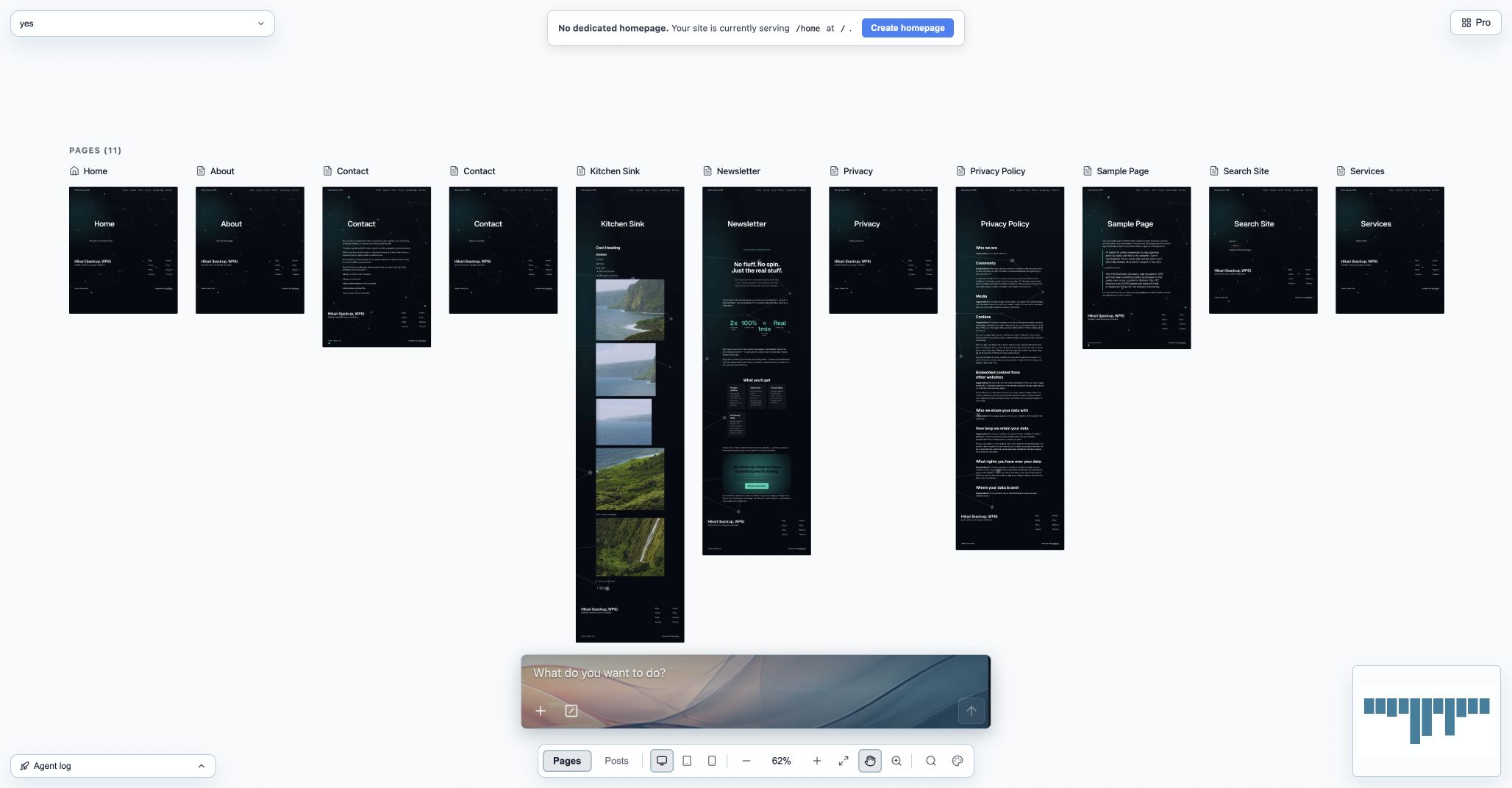
Hikari StudioYour everyday place to run a website. Tell Hikari what you want to do.
View full sizeCaptured in Hikari · Example project
12 interface themes. 10 composer wallpapers. Your own canvas colors and grid.
See your website, ask for an update, and review the result. You don’t need to be a designer or developer to keep things moving.
A detailed workspace for designers, developers, and agencies. Work directly with pages, blocks, media, and site settings.
Inspect staged changes, publish a new version, and use deployment history when you need a way back.
FROM THE FIRST PAGE
TO EVERYTHING AFTER.
ONE WEBSITE. THE WHOLE PICTURE.
Your first website or your fiftieth: there’s a place for you here. Studio makes everyday website work approachable. Pro gives web professionals the detailed tools their work demands.
Studio is where everyday website work happens. Ask Hikari to update a page, help with content, or find what needs attention. Choose a theme, personalize your canvas, and make the space your own. No technical background required.
Built for designers, developers, and agencies who need direct access to the details: page structure, reusable components, assets, SEO, and deployments.
PagesHomepage
MediaAsset library
ComponentsReusable blocks
DeploymentsVersion history
Create pages, edit posts, and organize the structure of your site.
Manage your assets and reusable building blocks in one workspace.
Find gaps in metadata, links, and content that describes your business.
Keep your forms and incoming submissions close to the pages they belong to.
KEEP WHAT YOU’VE BUILT. CHANGE HOW YOU RUN IT.
Bring your content, media, pages, and navigation into Hikari. Get a clear view of what came across, what needs attention, and where to go next.
Bring a site into HikariYour site in HikariImport reportContent & page structure
Media & internal links
Metadata & navigation
BE UNDERSTOOD. BE DISCOVERED.
Search engines and AI need a clear picture of your business. Hikari helps you inspect the content, metadata, and technical details that shape that picture—and work through what needs improving.
Find missing descriptions, broken internal links, or images without useful alt text.
Turn audit findings into specific updates to your pages and content.
Review the changes and audit again as your website evolves.
Every launch has a version. Every version has a history.
MOVE FORWARD WITH A WAY BACK.
Preview your work. Review what changed. Publish a new version when you’re ready. Hikari keeps deployment history and rollback close at hand, so trying something new doesn’t mean losing what worked.
A FEW GOOD QUESTIONS.
Hikari is an AI website platform for building, importing, and operating websites. Your AI site manager works with your pages, content, media, and site structure, while a full workspace gives you direct control over the details.
Yes. Hikari detects your source platform, imports the content and structure it can support, and produces a report of what needs attention. WordPress and builder-site imports use different paths. Compatibility varies by site; custom plugins and interactive features may need additional work.
Generating a first version is only the beginning. Hikari gives you an ongoing operator and a workspace for changing content, auditing the site, managing media and forms, publishing new versions, and recovering earlier ones.
Edits are made in the working version of your site. You can inspect the result and the staged changes before publishing. Deployment history keeps previous published versions available for rollback.
Yes. Studio includes 12 interface themes and 10 composer wallpapers, plus controls for canvas color, grid color, dot size, and spacing. These personalize your Hikari workspace; your website’s design is managed separately.
Studio is for anyone who wants to run a website, including people with no design or development experience. It’s the general-purpose home for everyday work, with customizable interface themes, composer wallpapers, and canvas settings. Pro is the dedicated workspace for web professionals, including designers, developers, and agencies.
BUILT FOR WHAT HAPPENS NEXT.
Private beta.
Sign in with your invited account.